Executive Summary

Overview

Acting as Lead UX Designer in a 3-week sprint, I designed a tool for salespeople to quickly create a high level overview for Business Cases, or value-based pitch document. The existing AI functionality for Business Cases was not being used, and as a result, very few salespeople were actually writing Executive Summaries. The goal of this sprint was to encourage users to create Executive Summaries, and to help them write them in a clean and focused interface.​

A snapshot of the features of our redesign:
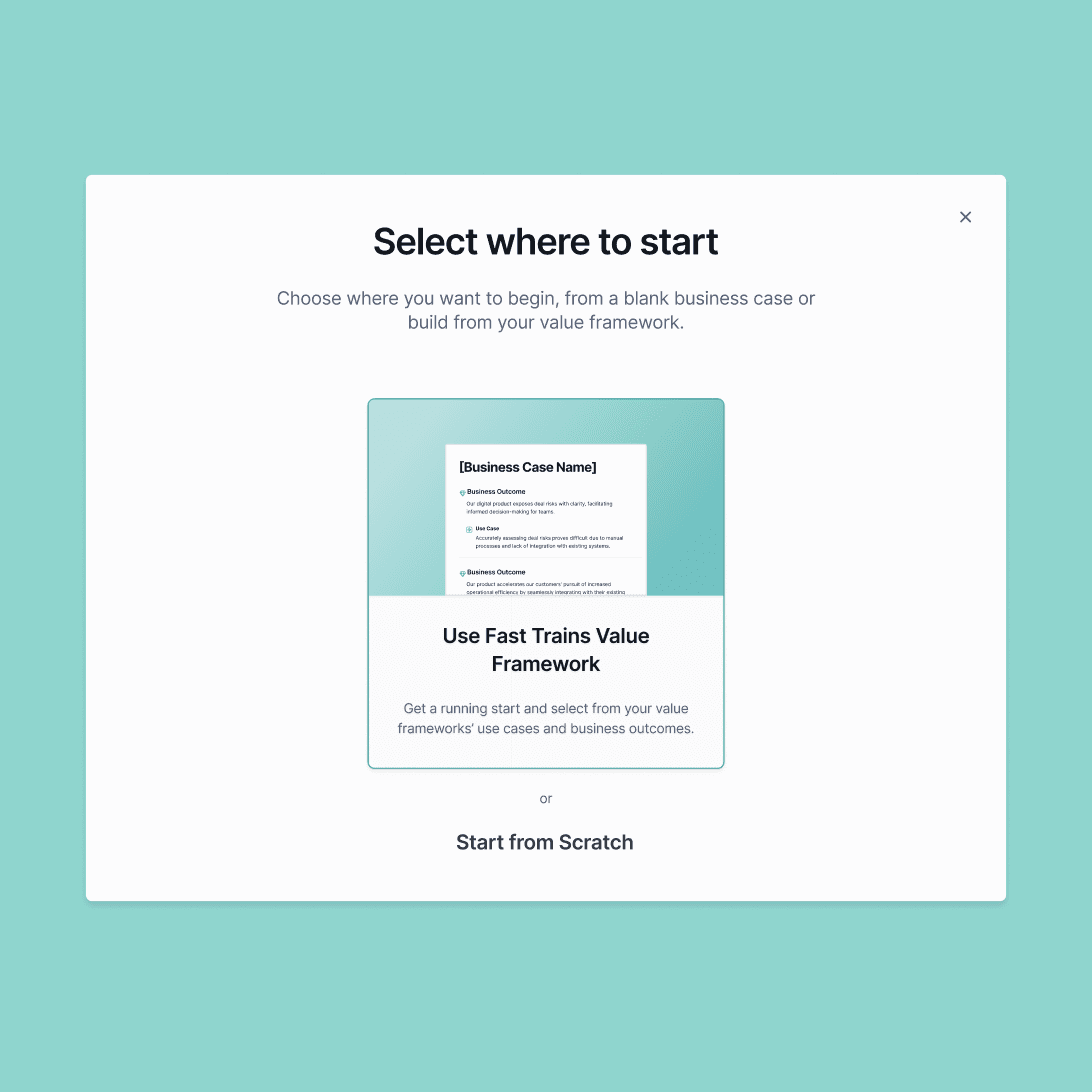
Creation Flow

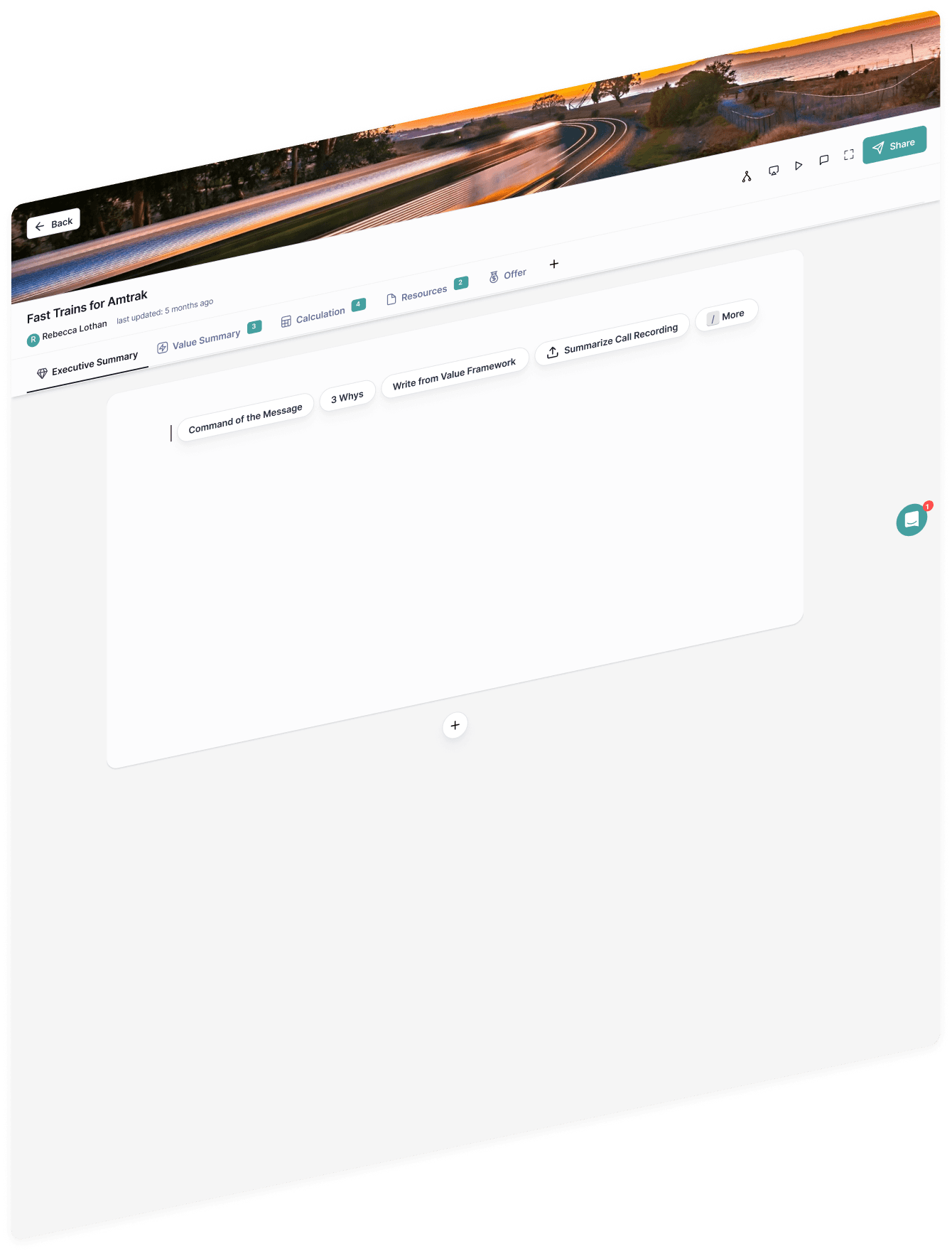
The user creates a business case in a revised modal flow. The user lands on a clean and focused interface.
Creation Flow

The user creates a business case in a revised modal flow. The user lands on a clean and focused interface.

Creation Flow

The user creates a business case in a revised modal flow. The user lands on a clean and focused interface.

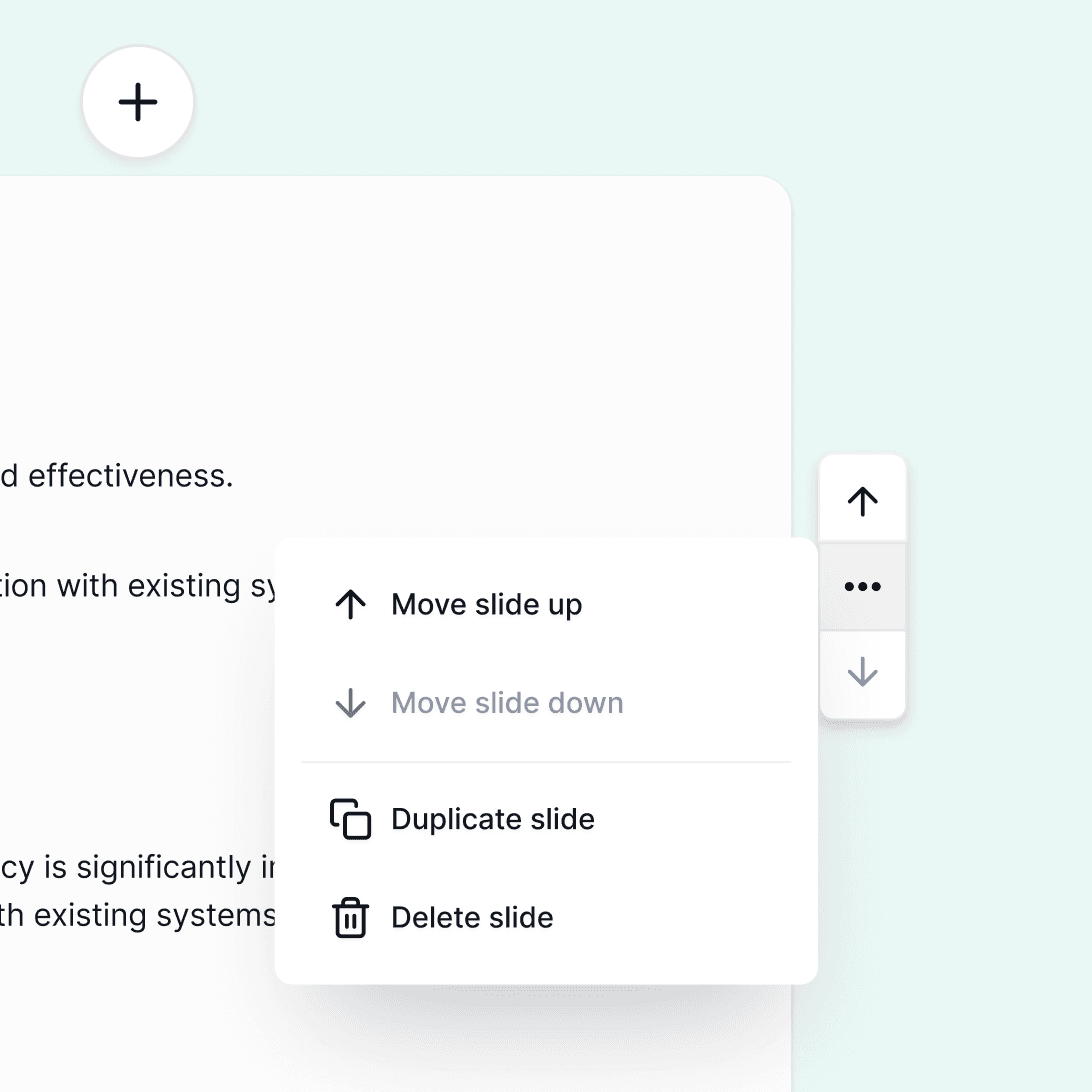
Macro Deck Formatting

Greater control over the order and flow of the deck, with greater options for customization.
Macro Deck Formatting

Greater control over the order and flow of the deck, with greater options for customization.

Macro Deck Formatting

Greater control over the order and flow of the deck, with greater options for customization.

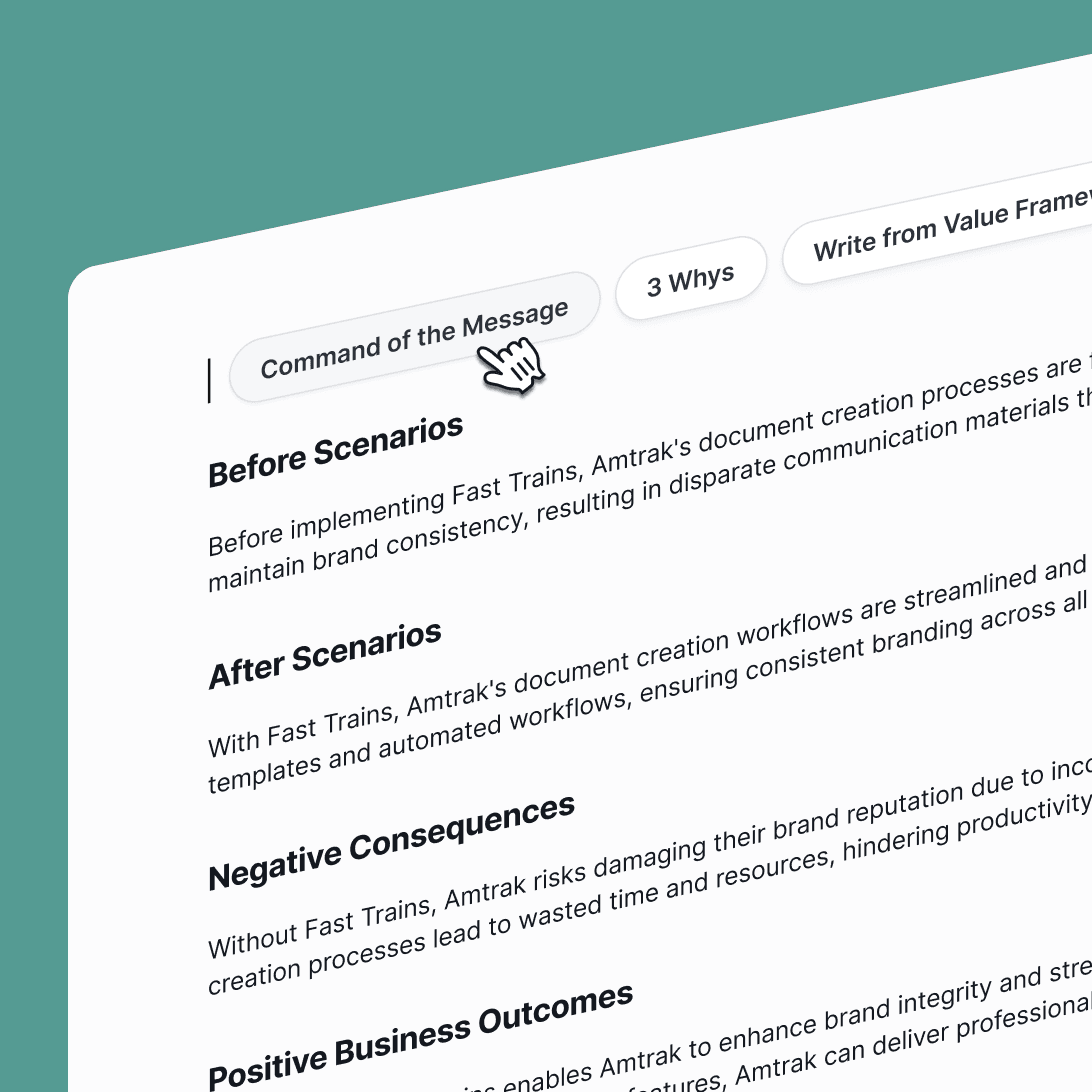
Writing, Editing, Creativity

Make detailed and precise adjustments to the content of the deck, including type styles, images and other embedded content.
Writing, Editing, Creativity

Make detailed and precise adjustments to the content of the deck, including type styles, images and other embedded content.

Writing, Editing, Creativity

Make detailed and precise adjustments to the content of the deck, including type styles, images and other embedded content.

Quick Create with AI

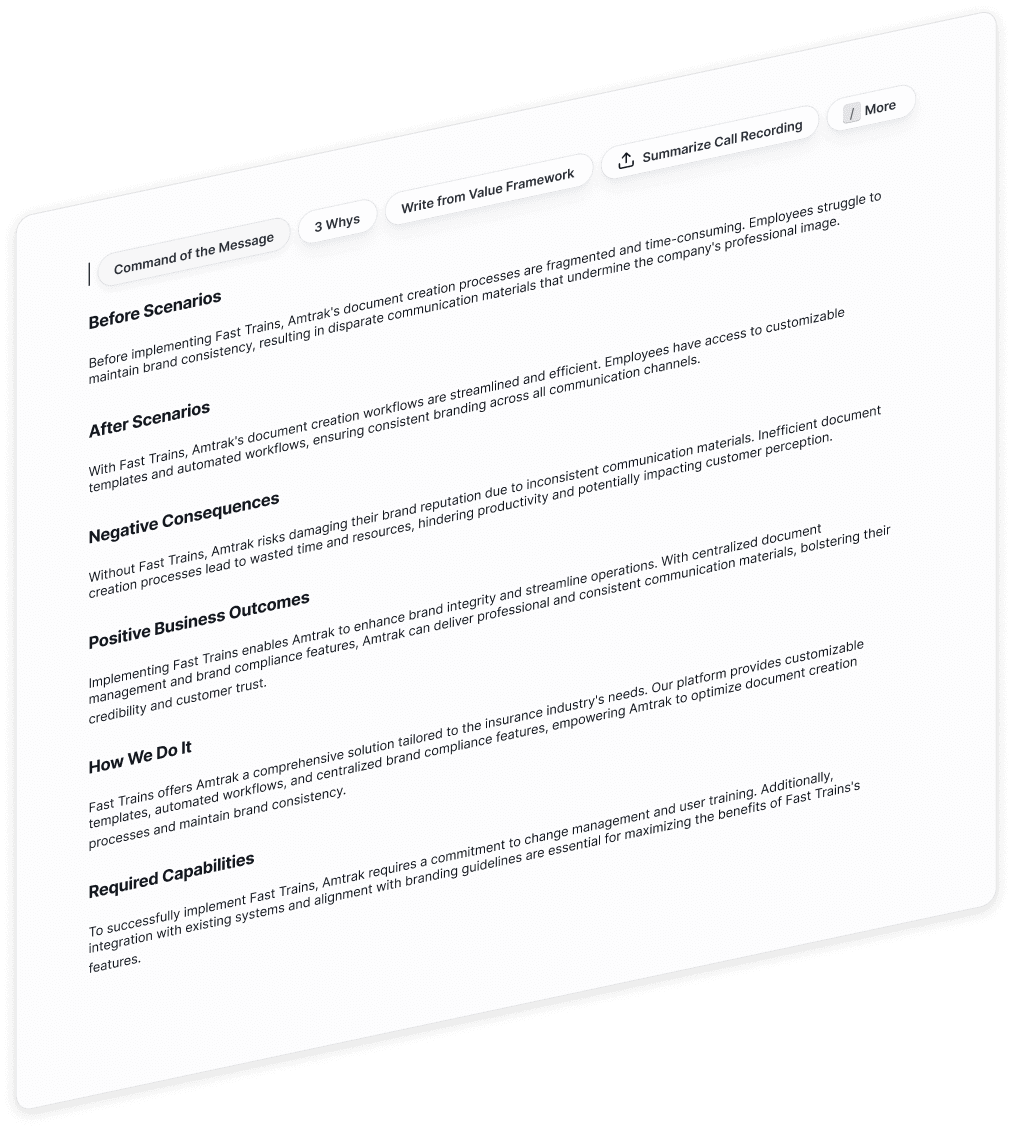
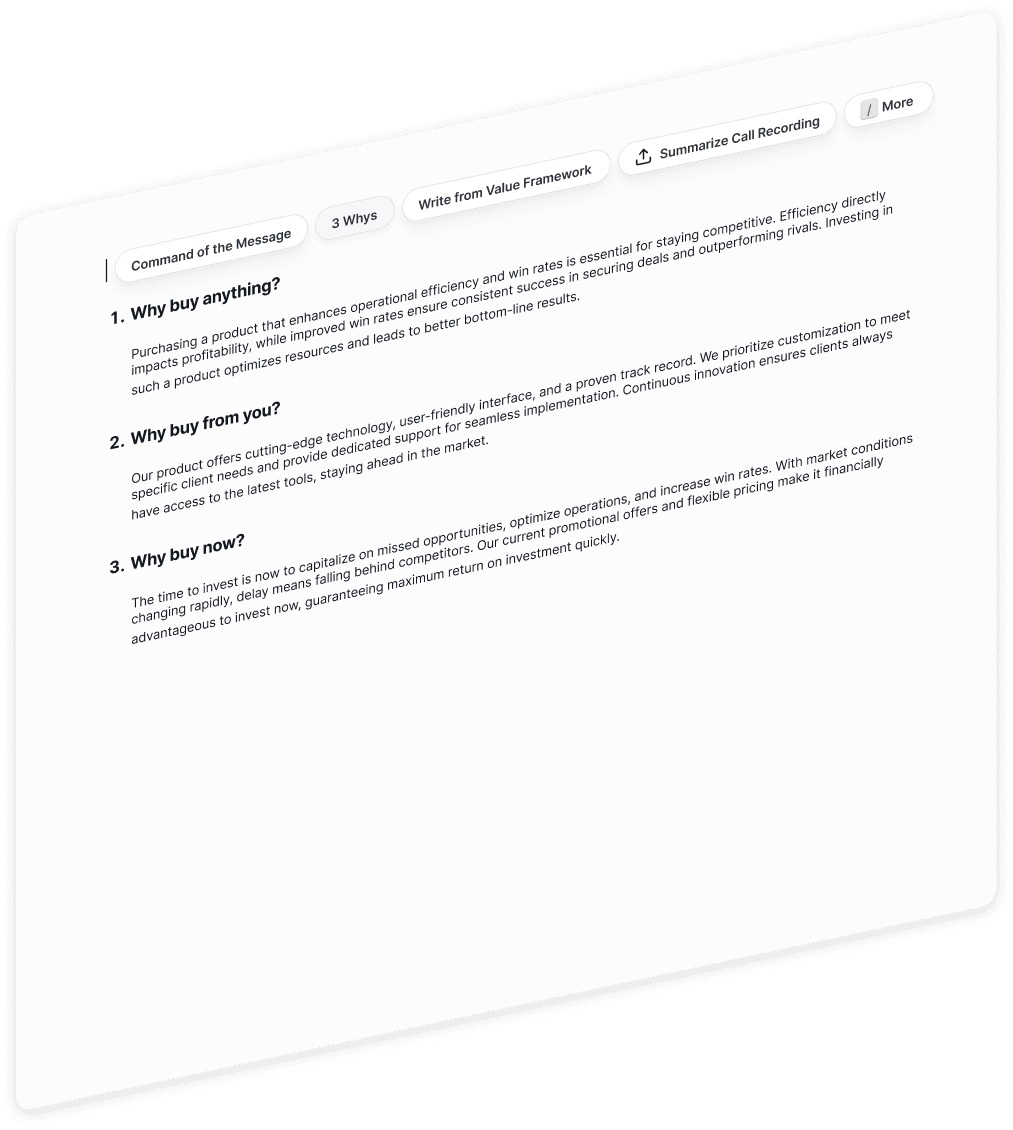
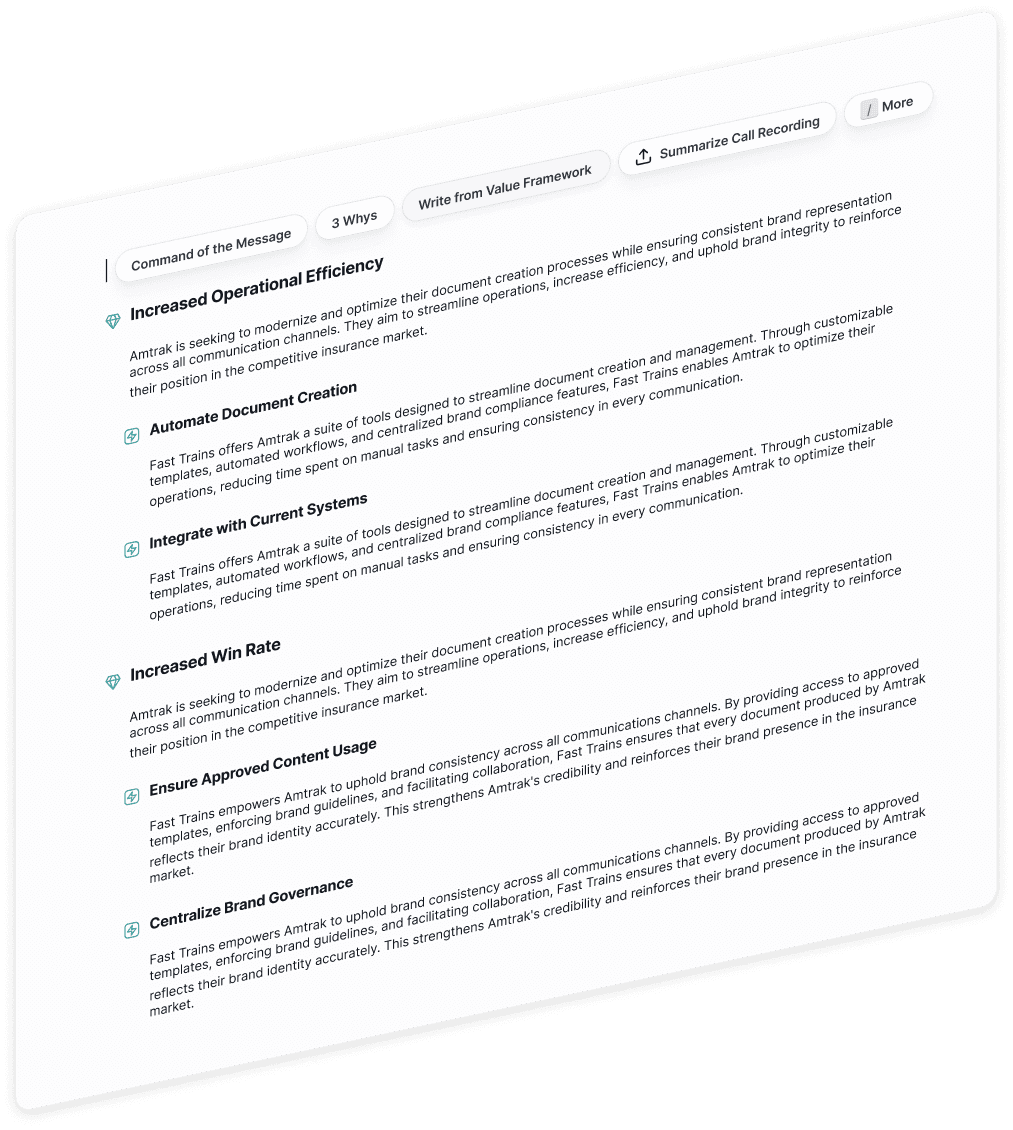
Easily preview AI templates on hover and quickly add pre-filled content to help get started writing.

Quick Create with AI

Easily preview AI templates on hover and quickly add pre-filled content to help get started writing.

Quick Create with AI

Easily preview AI templates on hover and quickly add pre-filled content to help get started writing.

Client Background

Minoa is a value intelligence platform that helps B2B sales teams create collaborative business cases: turning complex ROI spreadsheets into clean, shareable documents that sellers co-create with their prospects.

Executive Summaries are the first part of the business case a prospect will see - it's an opportunity for the seller make a high level summary of their value proposition for an executive buyer.

Requirements

Encourage writing executive summaries

Important, but underused feature to help orient prospects when they first open.

Encourage writing executive summaries

Important, but underused feature to help orient prospects when they first open.

Encourage writing executive summaries

Important, but underused feature to help orient prospects when they first open.

Re-imagine the empty state

Guide users to getting started with an empty state that doesn't feel so empty.

Re-imagine the empty state

Guide users to getting started with an empty state that doesn't feel so empty.

Re-imagine the empty state

Guide users to getting started with an empty state that doesn't feel so empty.

Allow for customization

Customization affordances to give users greater control and flexibility.

Allow for customization

Customization affordances to give users greater control and flexibility.

Allow for customization

Customization affordances to give users greater control and flexibility.

AI features visibility

Existing AI features got very little usage. Why? How can we make them more appealing?

AI features visibility

Existing AI features got very little usage. Why? How can we make them more appealing?

AI features visibility

Existing AI features got very little usage. Why? How can we make them more appealing?

Technical Toolkit Requirements

Limited technically to the Tip-Tap Dev Toolkit Editor capabilities.

Technical Toolkit Requirements

Limited technically to the Tip-Tap Dev Toolkit Editor capabilities.

Technical Toolkit Requirements

Limited technically to the Tip-Tap Dev Toolkit Editor capabilities.

Competitive Research

I reviewed a handful of competitors UIs, looking closely at their AI-assisted writing features and their empty states, with a focus on clean, simple interfaces that allow for creativity.

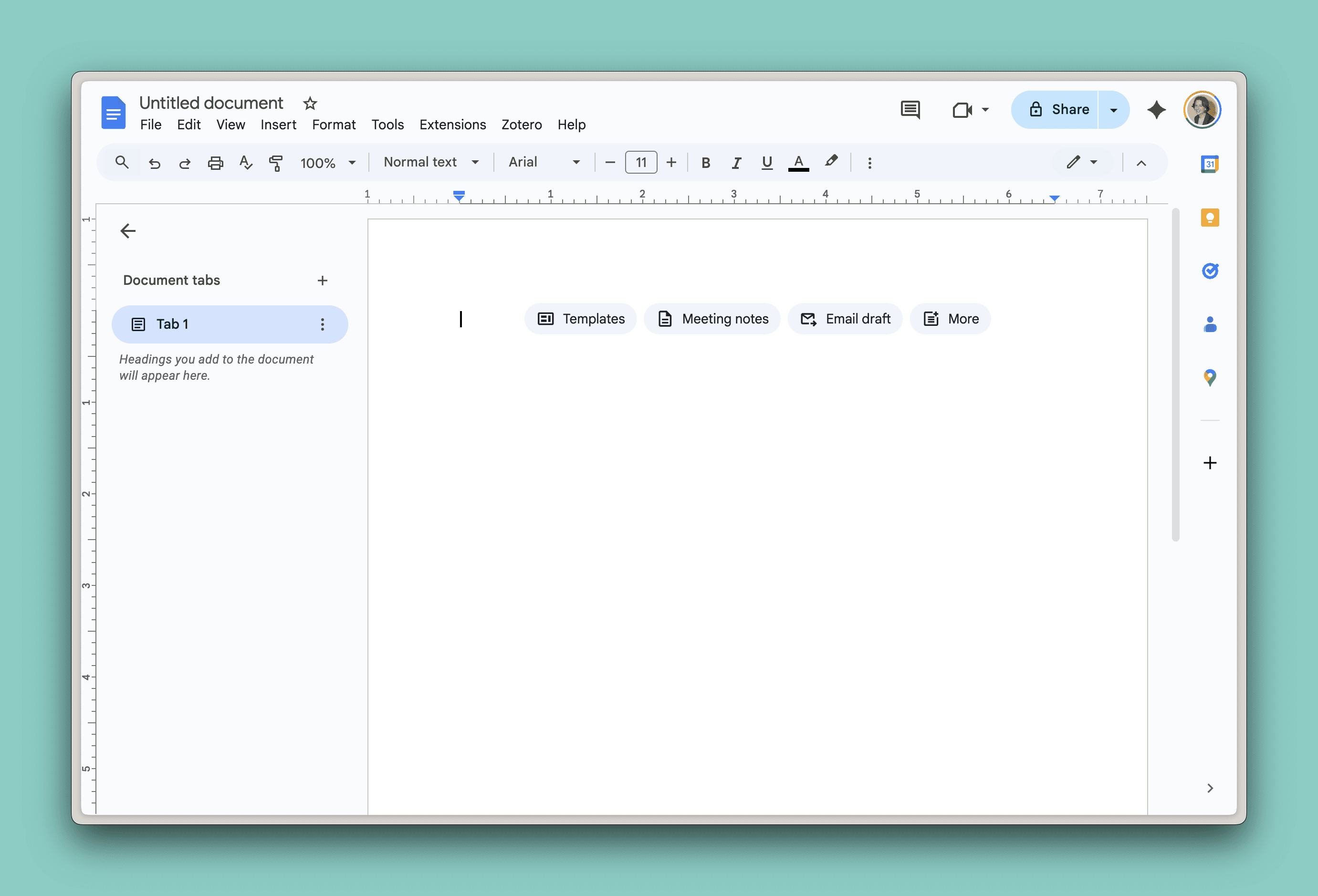
Google Docs
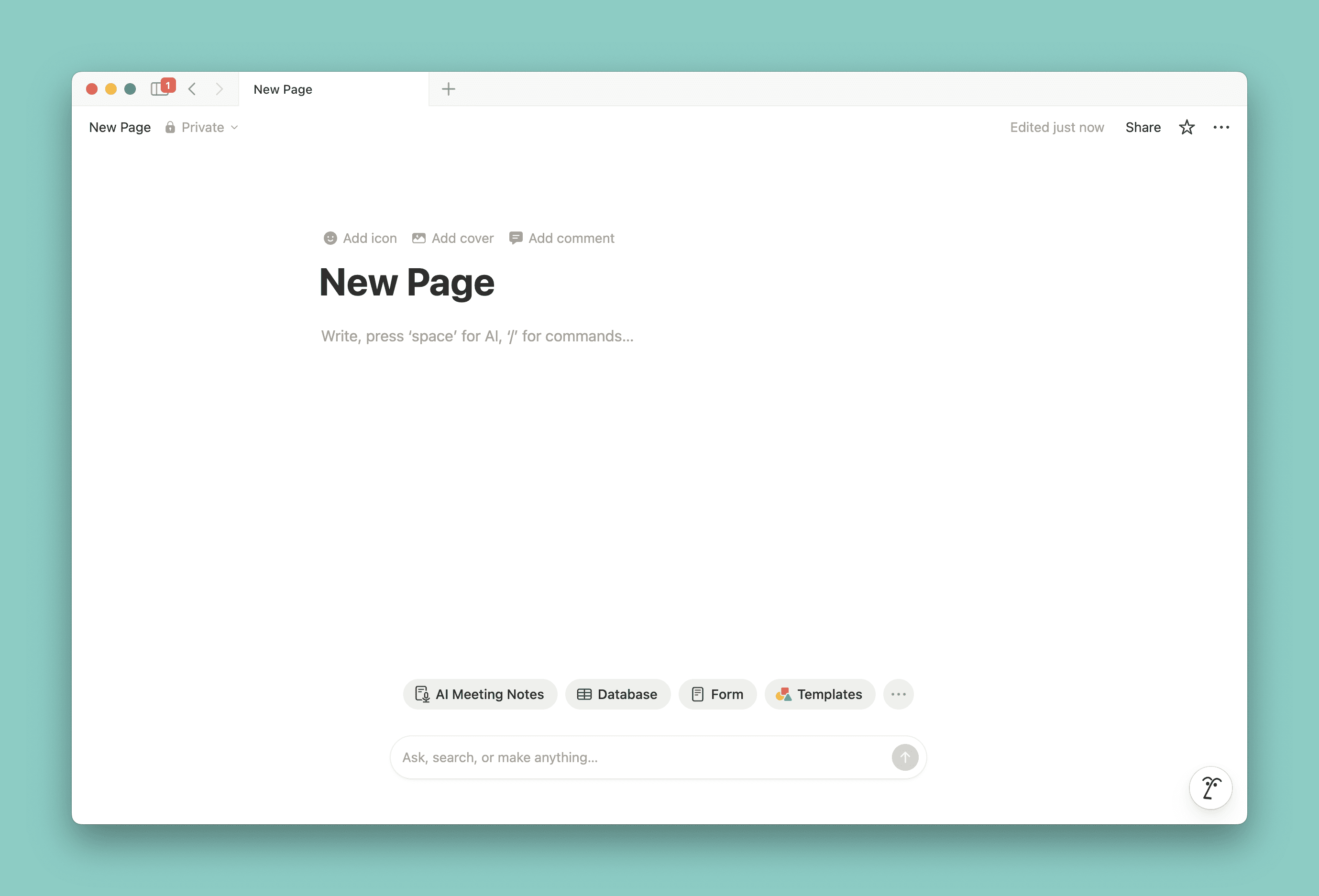
Notion
Insights

Empty state guides users to action

Notion indicates the keyboard shortcut to open the command menu. Google has a suite of template buttons that a user can select from.

Empty state guides users to action

Notion indicates the keyboard shortcut to open the command menu. Google has a suite of template buttons that a user can select from.

Empty state guides users to action

Notion indicates the keyboard shortcut to open the command menu. Google has a suite of template buttons that a user can select from.

Template previews on hover

Google docs display a skeleton of the template on hover. Its noncommittal, it prompts users to action and it prevents a truly empty state.

Template previews on hover

Google docs display a skeleton of the template on hover. Its noncommittal, it prompts users to action and it prevents a truly empty state.

Template previews on hover

Google docs display a skeleton of the template on hover. Its noncommittal, it prompts users to action and it prevents a truly empty state.

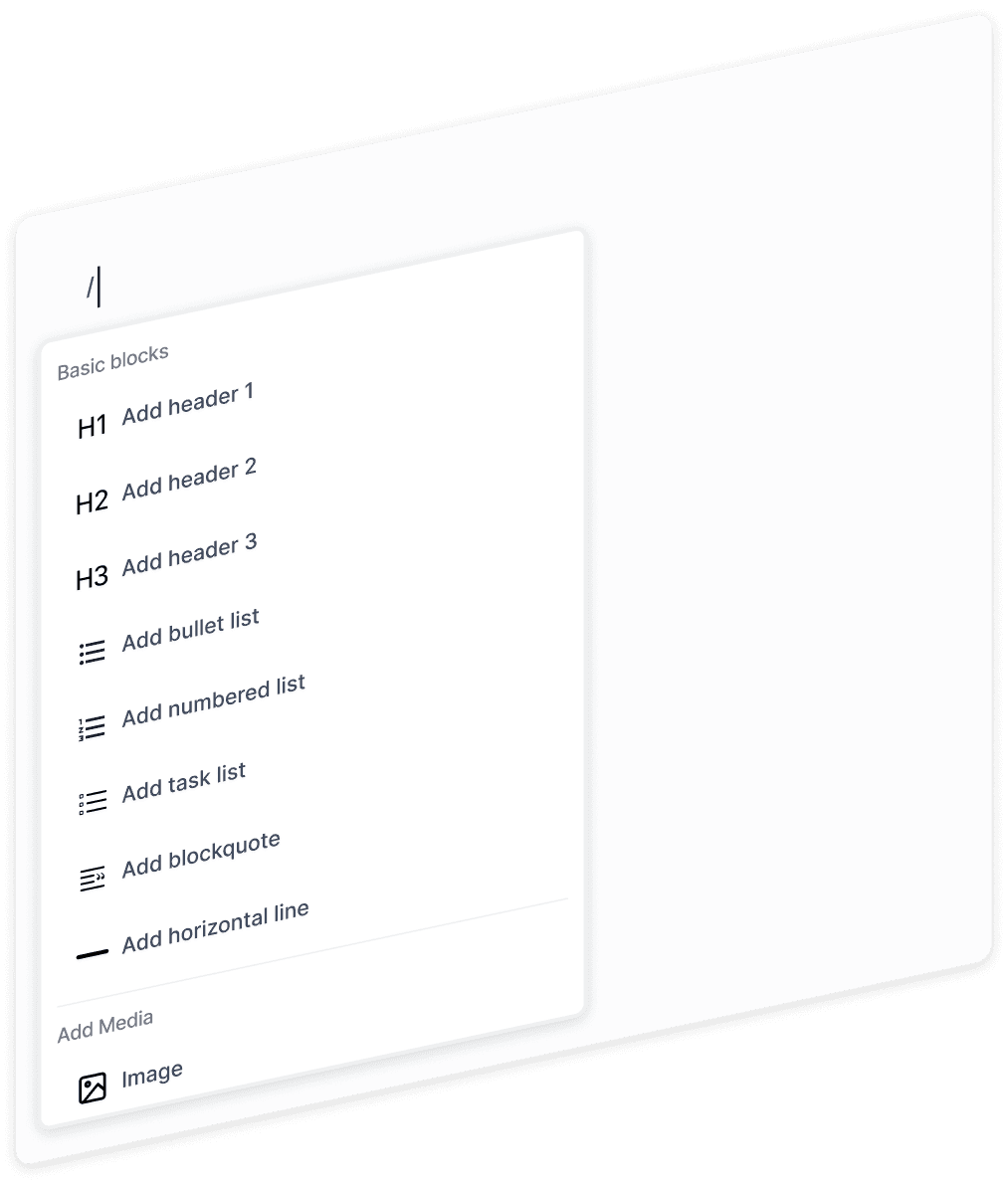
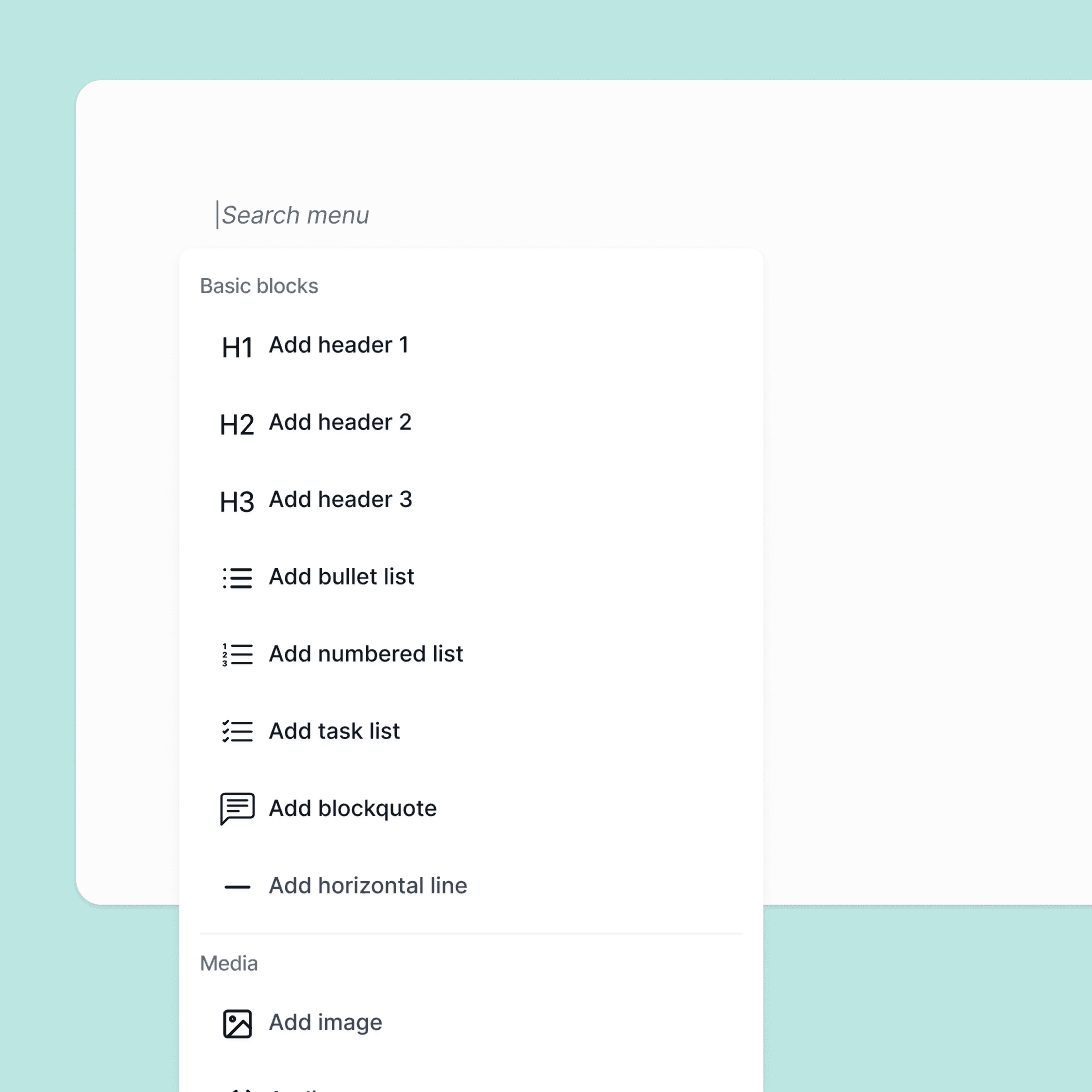
Command menu with keypad trigger

Notion puts all AI, media and text formatting features in a dropdown menu with a keypad trigger, also accessible from a context menu revealed on hover while a block is selected.

Command menu with keypad trigger

Notion puts all AI, media and text formatting features in a dropdown menu with a keypad trigger, also accessible from a context menu revealed on hover while a block is selected.

Command menu with keypad trigger

Notion puts all AI, media and text formatting features in a dropdown menu with a keypad trigger, also accessible from a context menu revealed on hover while a block is selected.

Design Solution

After reviewing competitors, I familiarized myself with TipTap block editor suite, the dev team's toolkit we would need to accommodate. Tiptap guided the majority of the formatting and block functionality decisions. The main creative focus was on how to guide the user to action, make sure AI features were visible and easy to use, and create a clean and focused interface.
3

3

3

4

1

2

1

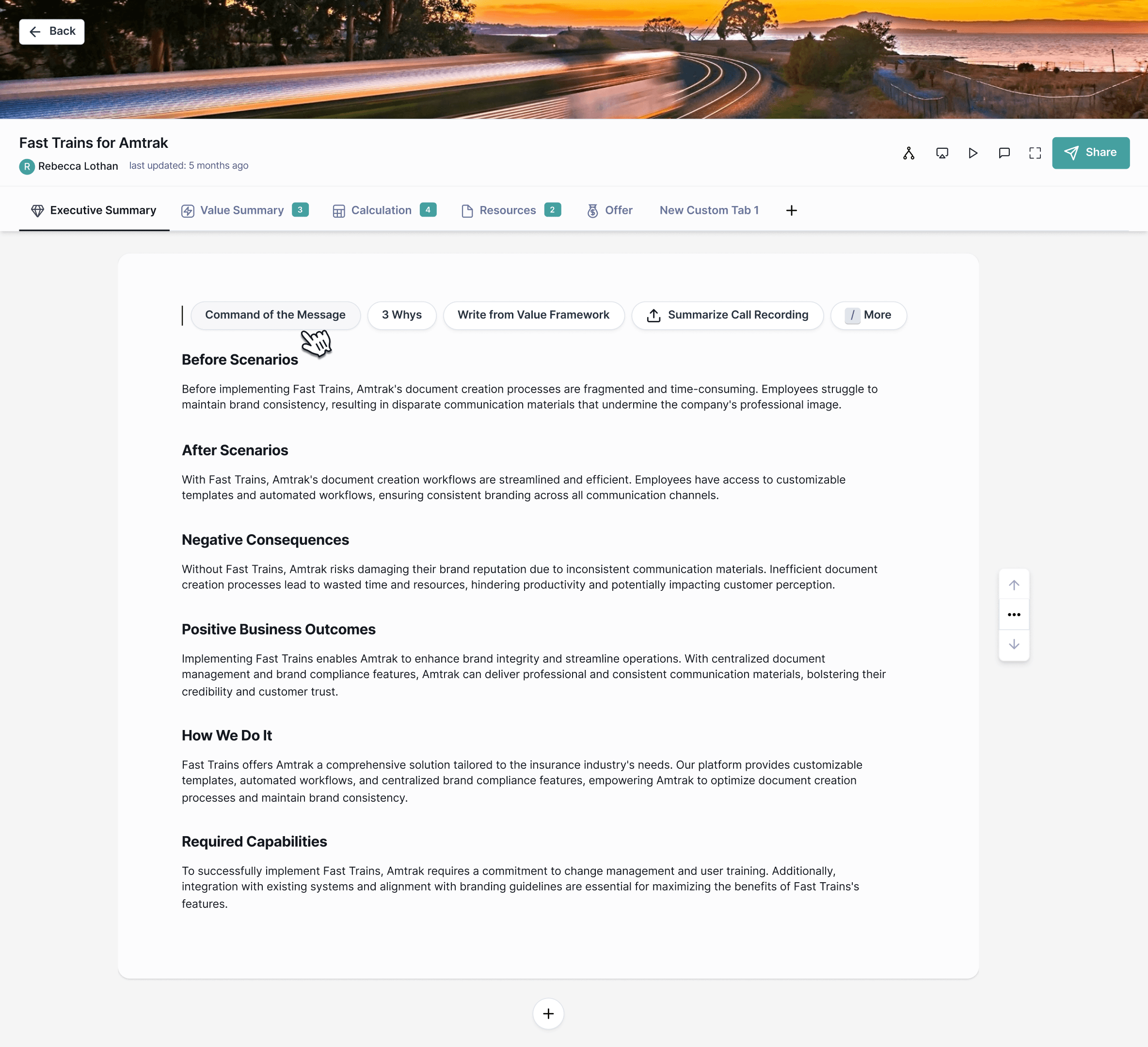
AI Templates

Introduced quick add AI template buttons, with previews on hover to help guide the user by indicating possible actions.

1

AI Templates

Introduced quick add AI template buttons, with previews on hover to help guide the user by indicating possible actions.

2

Command Menu

Easily access AI features and formatting options for greater control and flexibility. Open the command menu with a "/" keypad trigger.

2

Command Menu

Easily access AI features and formatting options for greater control and flexibility. Open the command menu with a "/" keypad trigger.

3

Macro Deck Formatting

Introduced a “slides” concept and block text editor functionality with additional formatting features, and added affordances for uploading and resizing images, documents, video and audio.

3

Macro Deck Formatting

Introduced a “slides” concept and block text editor functionality with additional formatting features, and added affordances for uploading and resizing images, documents, video and audio.

4

Custom Tabs and Cover Photos

Users can now add custom tabs beyond the Minoa defaults. We also introduced new suggested cover images on default, and a new dropdown menu to make changes.

4

Custom Tabs and Cover Photos

Users can now add custom tabs beyond the Minoa defaults. We also introduced new suggested cover images on default, and a new dropdown menu to make changes.