Filters and Cards

Overview

The client, Hidden Doorways, requested a redesign of their filtering system to enhance user experience and provide additional filtering options. The existing setup lacked versatility and did not cater to the needs of users - browsing images was not supported, and it was hard for users to find what they were looking for.

Our solution included:
Card View

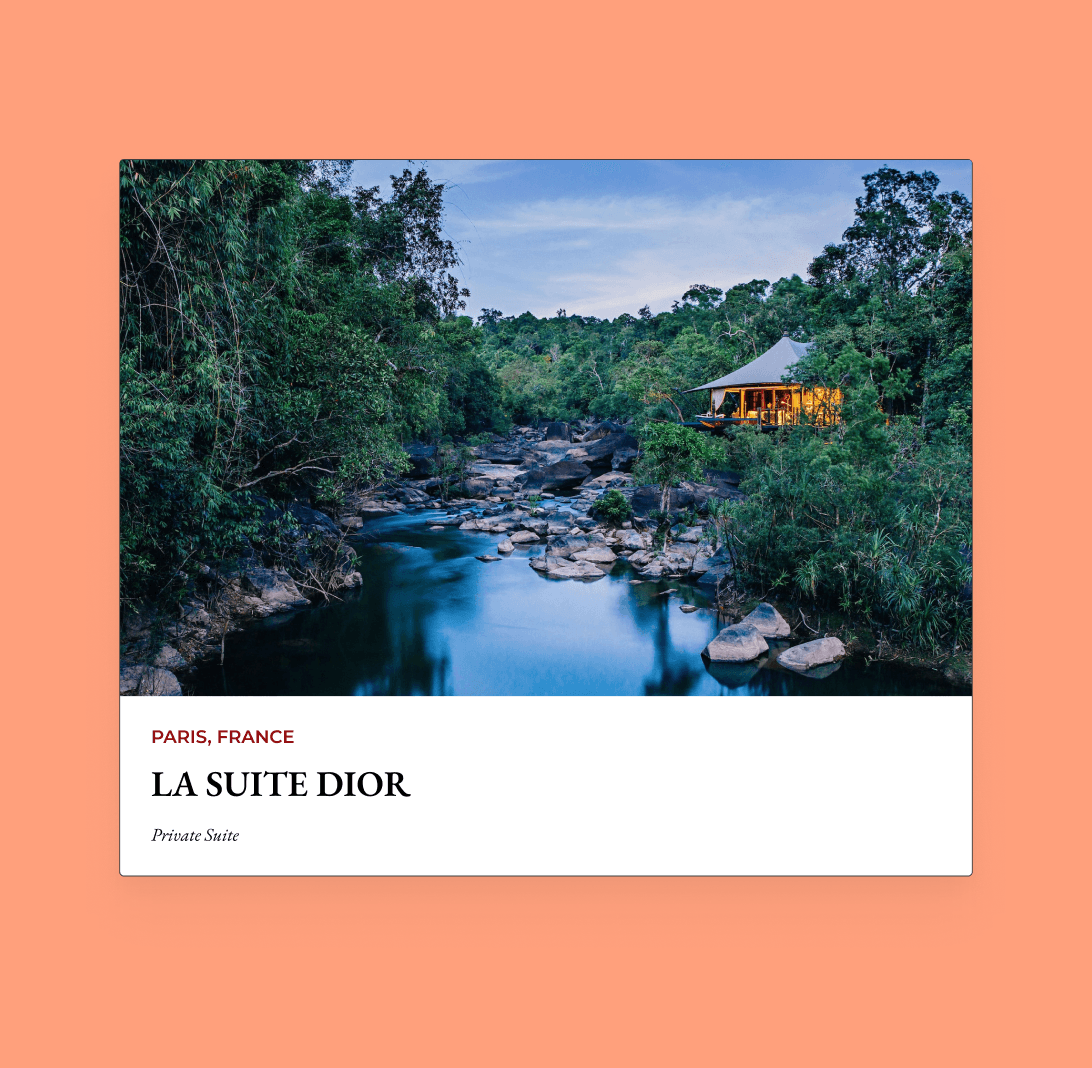
Users can more intuitively filter based on geographic region, adding a layer of granularity to searches.
Card View

Users can more intuitively filter based on geographic region, adding a layer of granularity to searches.

Card View

Users can more intuitively filter based on geographic region, adding a layer of granularity to searches.

List View

Users can easily navigate and apply filters without disrupting their main viewing area.
List View

Users can easily navigate and apply filters without disrupting their main viewing area.

List View

Users can easily navigate and apply filters without disrupting their main viewing area.

Left Rail Filter

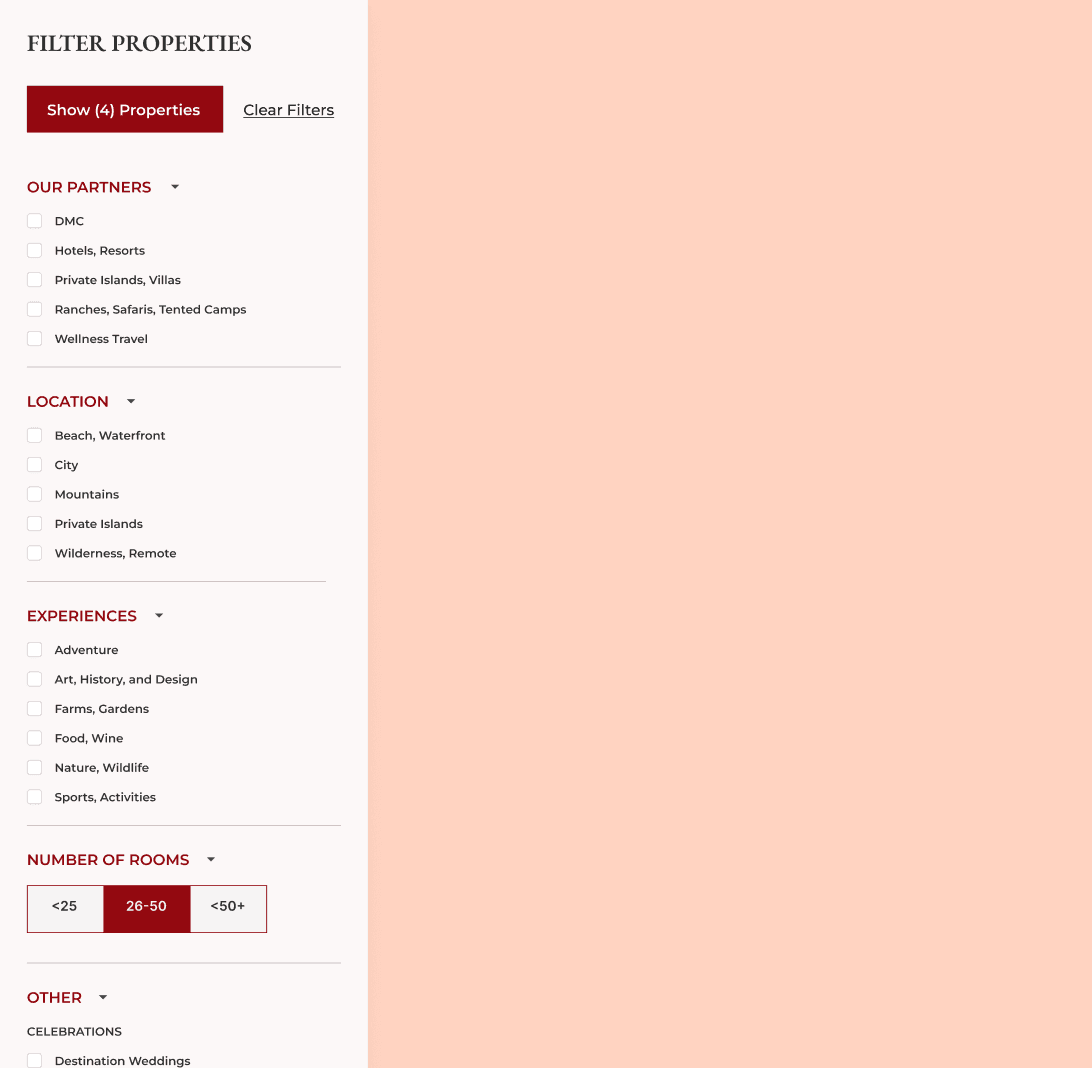
Users can easily navigate and apply filters without disrupting their main viewing area.
Left Rail Filter

Users can easily navigate and apply filters without disrupting their main viewing area.

Left Rail Filter

Users can easily navigate and apply filters without disrupting their main viewing area.

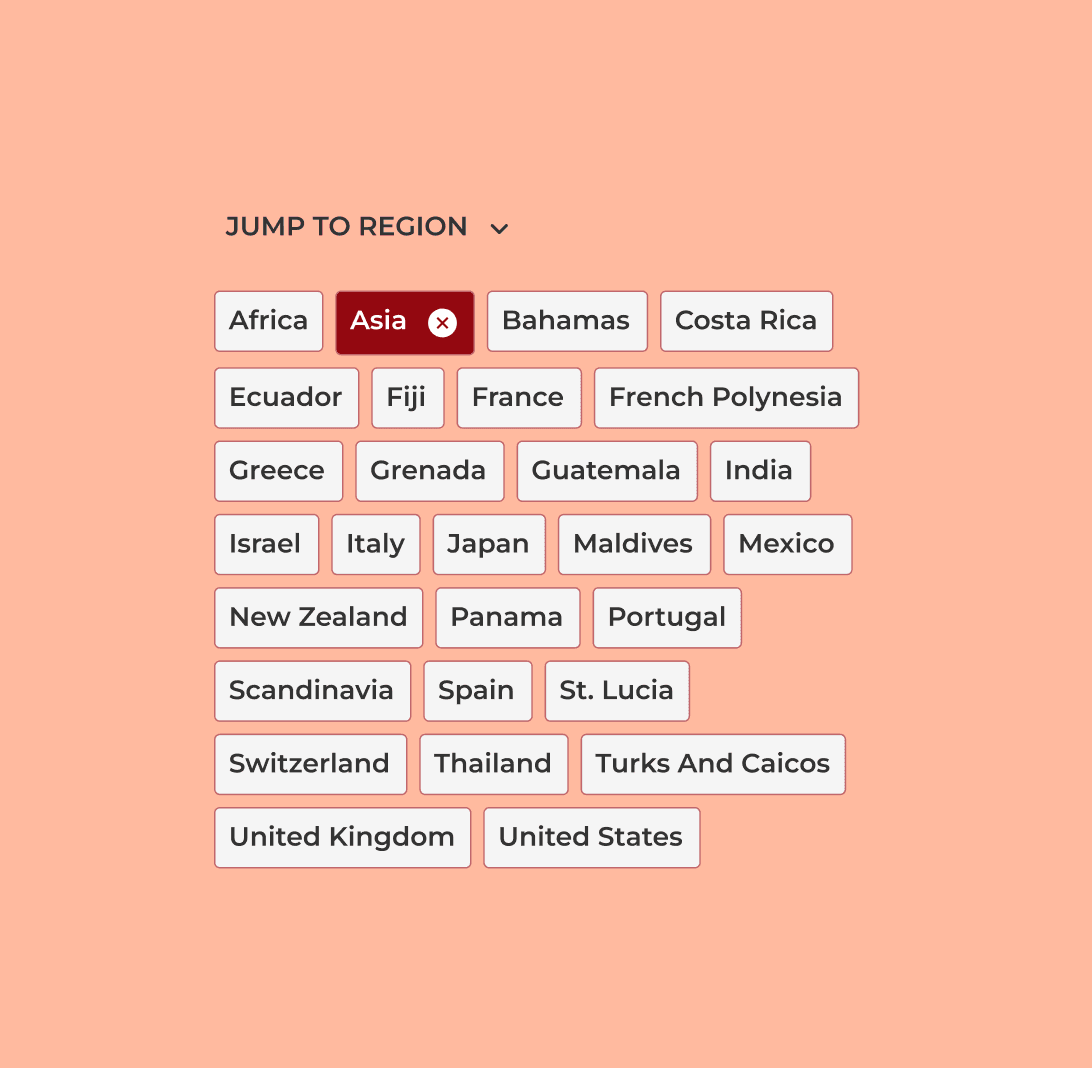
Region Tiles

Users can more intuitively filter based on geographic region, adding a layer of granularity to searches.

Region Tiles

Users can more intuitively filter based on geographic region, adding a layer of granularity to searches.

Region Tiles

Users can more intuitively filter based on geographic region, adding a layer of granularity to searches.

Client Background

Hidden Doorways offers a high end travel experience. Their customers are travel agents and brokers, representing individuals and families seeking unique travel destinations and experiences.

Requirements

Expanded list of filters and subcategories

Expanded list of filters and subcategories

Expanded list of filters and subcategories

Introduce cards with images for a more visual search experience

Introduce cards with images for a more visual search experience

Introduce cards with images for a more visual search experience

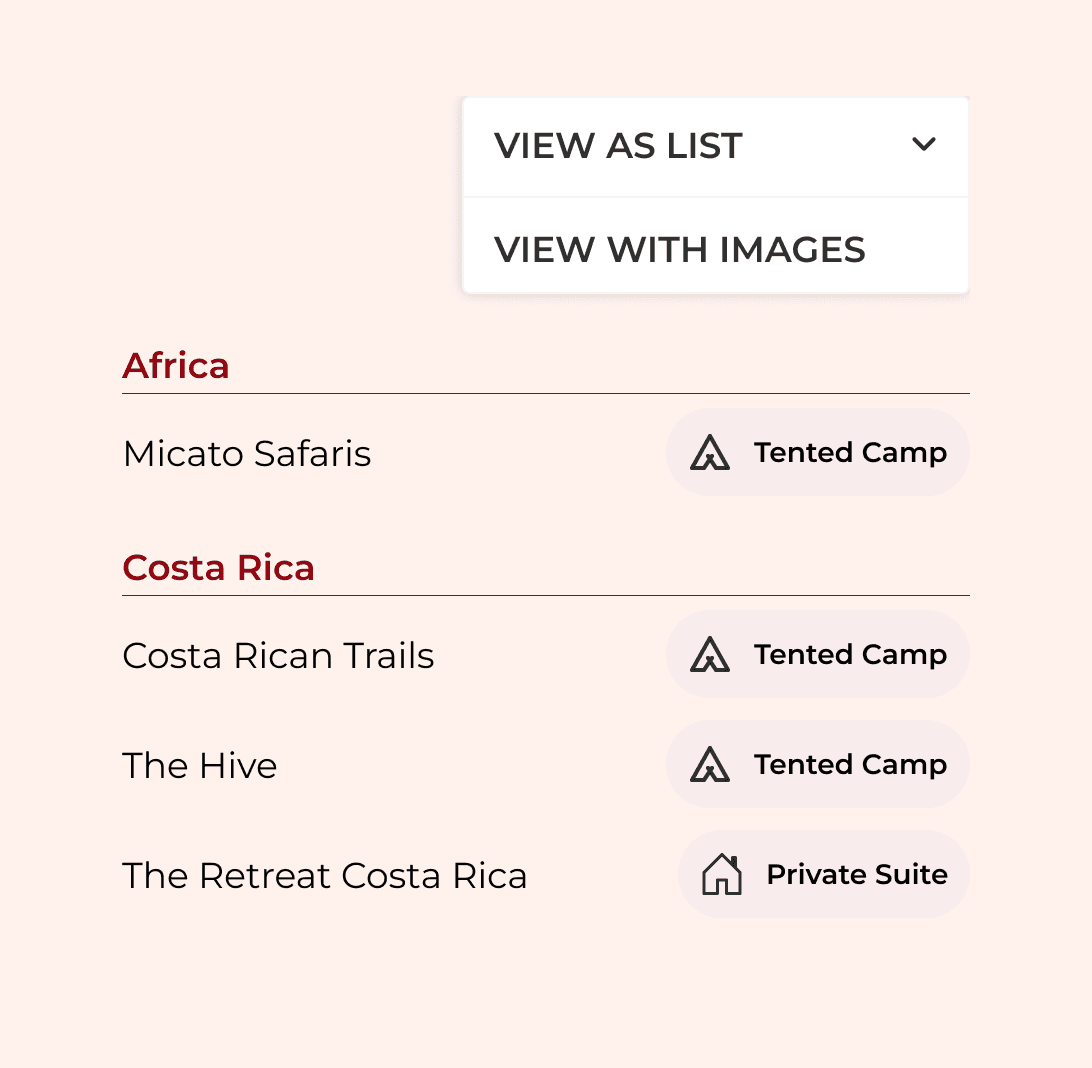
Maintain the preexisting list format for long-time users

Maintain the preexisting list format for long-time users

Maintain the preexisting list format for long-time users

Responsive design that works for mobile experiences

Responsive design that works for mobile experiences

Responsive design that works for mobile experiences

Design Solution

After reviewing competitors filtering patterns and working through several card and filtering designs, we came up with a solution that accommodated list and card view, and one that was friendly to multiple screen resolutions.
2

3

1

1

Left Rail Filter

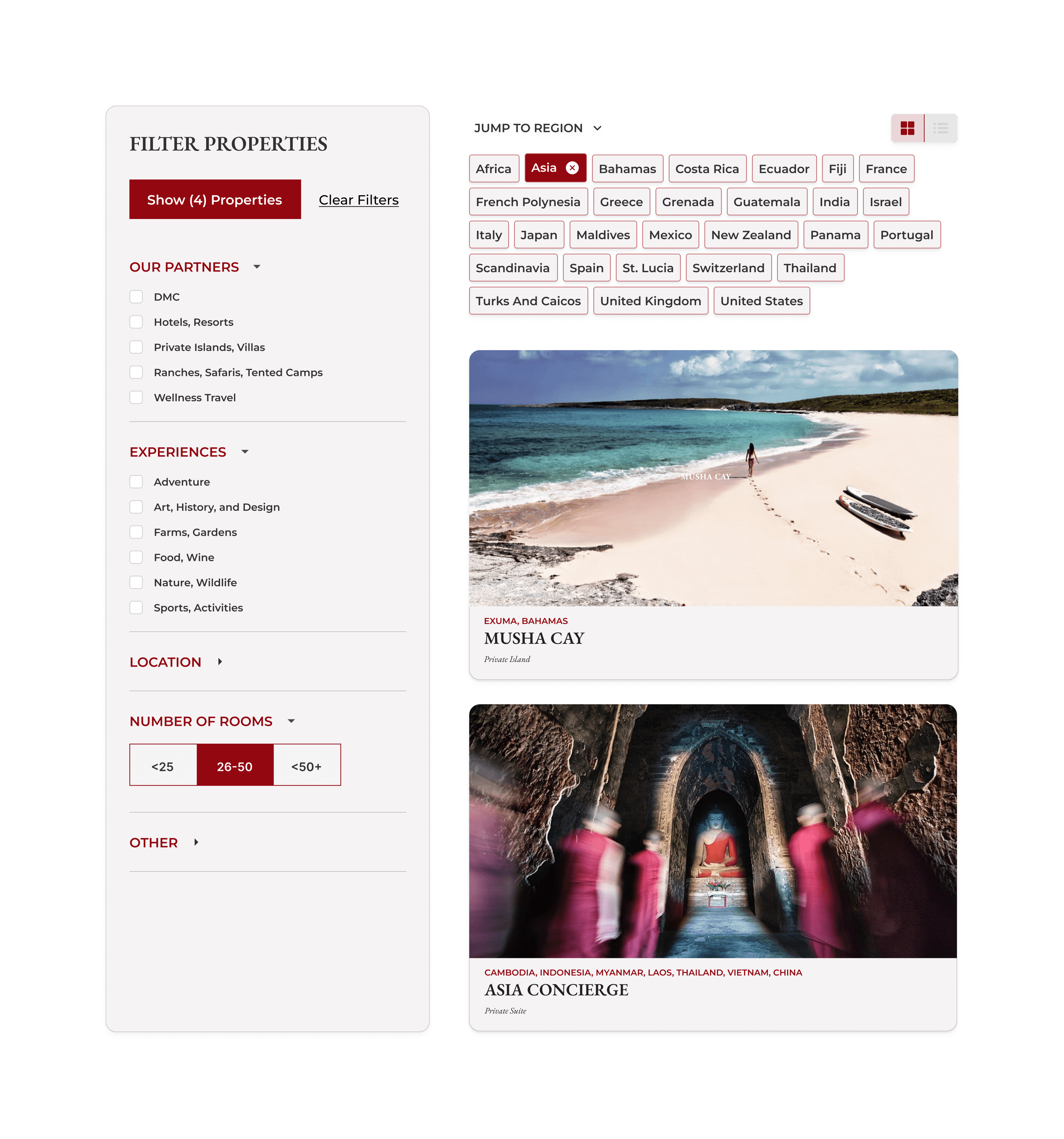
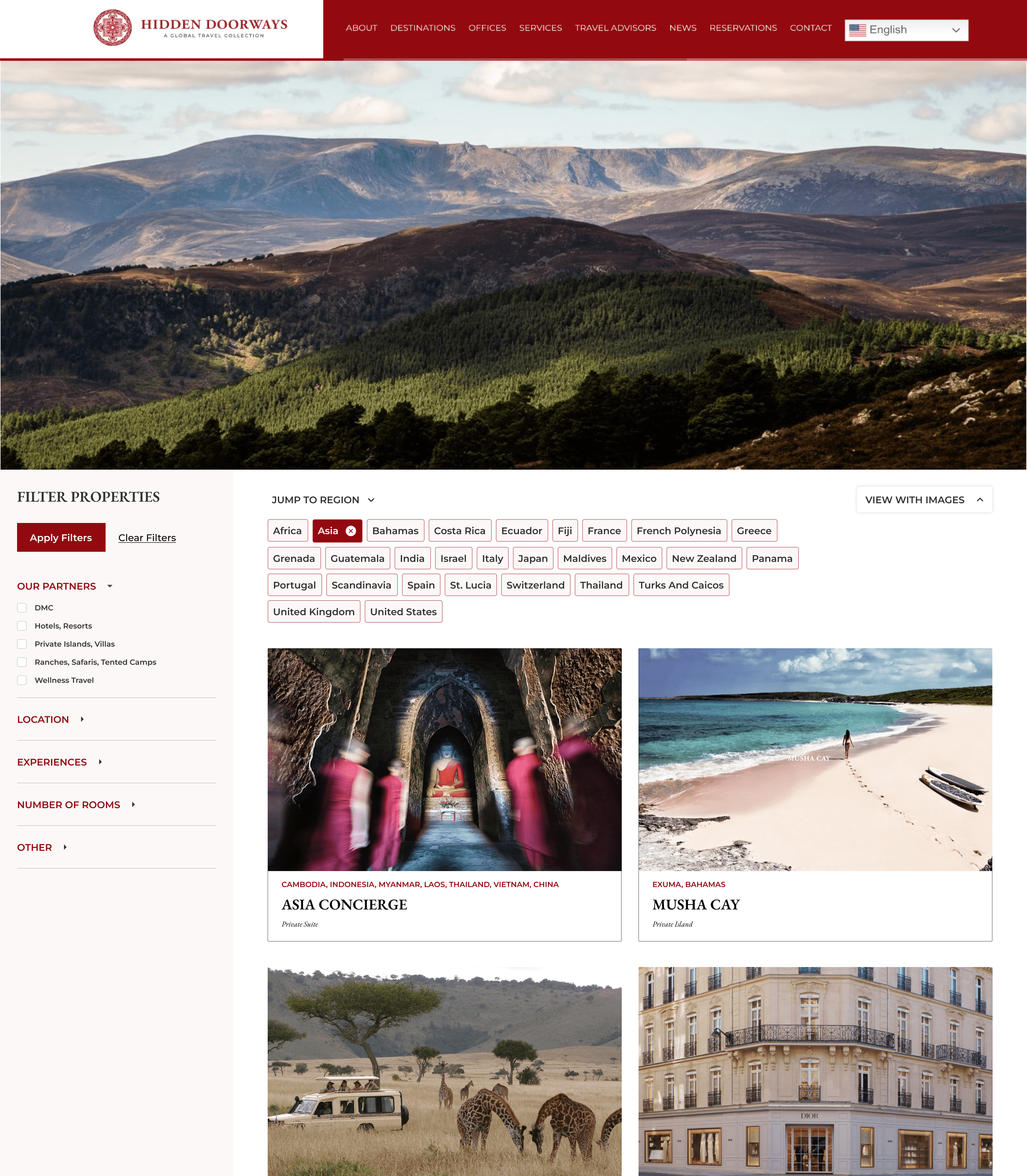
We introduced a left rail filter, and accordions per filter category. As a user selects filters, the “Apply Filters” button reflects the number of search results, so users can avoid zero results, while they receive system feedback.

1

Left Rail Filter

We introduced a left rail filter, and accordions per filter category. As a user selects filters, the “Apply Filters” button reflects the number of search results, so users can avoid zero results, while they receive system feedback.

1

Left Rail Filter

We introduced a left rail filter, and accordions per filter category. As a user selects filters, the “Apply Filters” button reflects the number of search results, so users can avoid zero results, while they receive system feedback.

2

Region Tiles

The original destinations page grouped places by country, creating many single item categories. Now users can filter results by region in both card and list view.

2

Region Tiles

The original destinations page grouped places by country, creating many single item categories. Now users can filter results by region in both card and list view.

2

Region Tiles

The original destinations page grouped places by country, creating many single item categories. Now users can filter results by region in both card and list view.

2

Select view dropdown

We implemented a “Sort By” style dropdown menu to allow users to switch between card and list view. Card view is now default, and veteran users can choose to view destinations by list.

2

Select view dropdown

We implemented a “Sort By” style dropdown menu to allow users to switch between card and list view. Card view is now default, and veteran users can choose to view destinations by list.

2

Select view dropdown

We implemented a “Sort By” style dropdown menu to allow users to switch between card and list view. Card view is now default, and veteran users can choose to view destinations by list.